
Alright, let’s talk about making your life a bit easier on the tools. Being a tradie means you’re out there grafting, not stuck behind a desk. But the admin side of things can be a real pain, can’t it? From chasing quotes to sorting invoices, it all eats into your precious time. Luckily, there are some cracking apps out there designed specifically for us Kiwi tradies. We’ve rounded up some of the best apps for tradies in 2026 that’ll help you get more done, with less hassle, so you can actually enjoy your weekends.
Key Takeaways
- Using the right apps can seriously cut down on the paperwork and admin that eats into your day.
- There’s a heap of great software out there built specifically for tradies, helping you manage jobs, quotes, and invoicing on the go.
- Picking the best apps for tradies means finding tools that fit your specific trade and how you work, whether you’re a solo sparky or run a bigger crew.
1. ServiceM8
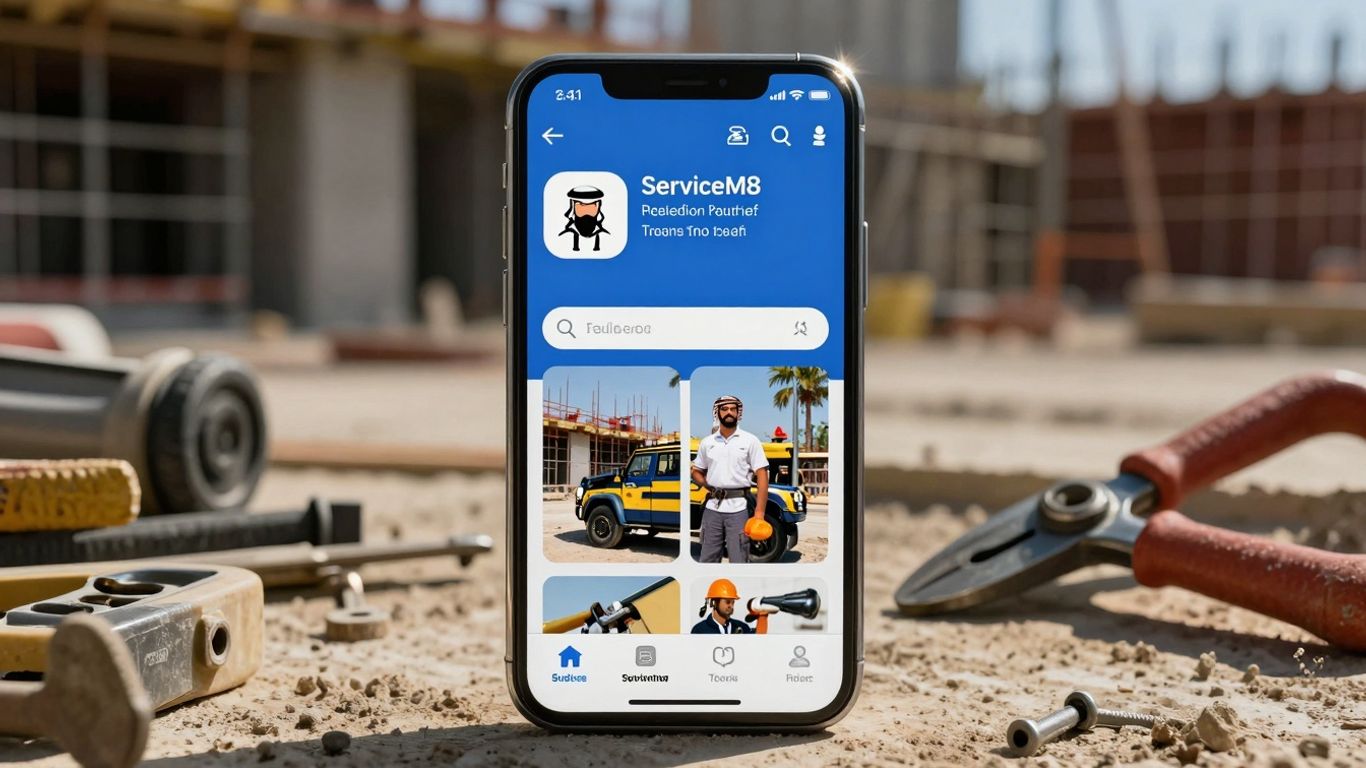
Right then, let’s talk about ServiceM8. If you’re a tradie looking to get your business sorted, this is one of those apps that pops up pretty much everywhere. It’s designed to be a bit of an all-rounder, aiming to cover most of the day-to-day stuff that can bog you down. Think of it as your digital right-hand man for managing jobs from start to finish.
What ServiceM8 really tries to do is take the chaos out of running your business. You know, the endless phone calls, trying to remember who you quoted what, and then spending your evenings buried in paperwork? This app is built to tackle all that. It’s popular with all sorts of trades – plumbers, electricians, cleaners, you name it. They all seem to find a way to make it work for them.
One of the big selling points is how it handles your online presence. You can get booking forms that you can stick right on your own website. This means customers can actually book you in without you having to pick up the phone every single time. Plus, it’s got this smart scheduling feature that helps you figure out the best way to fit jobs in, and it can send out reminders to your clients automatically. No more chasing people up for confirmations!
Here’s a quick look at what you can expect:
- Online Booking Forms: Let customers book directly from your website.
- Job Scheduling & Dispatch: Organise your team and jobs efficiently.
- Quoting & Invoicing: Create and send professional quotes and invoices on the go.
- Customer Reminders: Automated messages to reduce no-shows.
- Xero Integration: Connects with your accounting software.
It’s not just about booking, though. ServiceM8 helps with the actual job too. You can manage job notes, take photos, and keep track of everything that happens on-site. When the job’s done, you can whip up an invoice right there and then, and even take payments. This ability to streamline the entire process, from the first enquiry to the final payment, is where ServiceM8 really shines.
The idea behind apps like ServiceM8 is to give you back time. Time you’d normally spend on admin can be put back into doing the actual work, or even better, spent with your family. It’s about making your business run more smoothly so you can focus on what you do best.
Pricing can vary depending on the features you need and how many people are using it, but generally, you’re looking at a monthly subscription. It’s a bit of an investment, sure, but for many tradies, the time and hassle it saves makes it well worth the cost. If you’re after a system that tries to do a bit of everything for your trade business, ServiceM8 is definitely one to check out.
2. Tradify
Right then, let’s talk about Tradify. If you’re a sparky, plumber, or HVAC tech, you’ve probably heard of this one. It’s a really popular choice, and honestly, it’s easy to see why. It doesn’t try to be everything to everyone, which is a good thing when you just want to get on with the job.
Think of it like this: a lead comes in, you bang out a quote, turn that quote into a job, do the work, and then get paid. Simple, right? If you’re tired of juggling spreadsheets or endless text messages, Tradify is a solid step up. It keeps things moving without getting bogged down in complicated features you’ll never use.
Here’s a bit of what you can expect:
- Job Scheduling: Get your jobs organised quickly.
- Quoting & Invoicing: Create and send quotes and invoices on the go.
- Customer Communication: Use templates to speed up messages to clients.
- Lead Management: Keep track of potential jobs.
- Mobile App: It works well on your phone, which is pretty much essential these days.
- Integrations: It plays nicely with Xero and MYOB, which is a big plus for keeping your accounts in order.
It’s the kind of software that helps you get paid faster and keeps your schedule tidy.
You know, sometimes the simplest tools are the best. When you’re out on site all day, the last thing you want is to come home to a mountain of paperwork. Apps like Tradify take a lot of that hassle away, letting you focus on the actual work and, you know, having a bit of a life.
Pricing usually starts around £20 per month per user, but it’s worth checking their latest deals. It’s a great option for smaller teams or solo operators who want a straightforward system that just works.
3. Jobber
Right then, let’s talk about Jobber. If you’re after a bit of polish and a really modern feel for your business, this one might be up your street. It’s used by loads of service businesses all over the shop, and while it’s not strictly an Aussie thing, it’s definitely got a good following here.
What makes Jobber stand out is its customer portal. Honestly, it looks the business. Your clients can hop online, ask for appointments, give the thumbs up to quotes, pay their bills, and even check out job details – all under your company’s branding. It just feels professional, you know? That kind of trustworthy vibe can really help turn those initial enquiries into actual paying jobs.
Here’s a quick rundown of what you get:
- Online booking portal: Lets customers book you in whenever suits them.
- Automated follow-ups: Keeps clients in the loop without you lifting a finger.
- Quote and invoice approvals: Makes getting the green light from clients a doddle.
- Job forms and checklists: Helps you stay organised on-site.
- GPS tracking: Handy for keeping tabs on your team.
- Integrated payments: Get paid quicker and easier.
Jobber really shines when you want your business to look slick and professional to your customers. It’s about making that first impression count and giving clients confidence in your service from the get-go. It’s not just about getting the job done; it’s about how you present yourself while doing it.
Pricing kicks off at around £60 a month, so it’s a bit of a premium option. It’s probably best suited for tradies who are really keen on giving their clients a top-notch, modern experience and want their business to reflect that.
4. Fergus
Right then, let’s talk about Fergus. This one’s a bit special because it was actually built by a tradie, a bloke from New Zealand who got fed up with the existing tools and decided to make something better himself. And you can tell. It really gets stuck into the nitty-gritty of job costing and managing projects, especially if you’re doing bigger jobs that have a few different stages, like renovations or extensions.
If your work often stretches over several days or involves multiple steps, and you’re keen to know exactly where your profit is coming from on each one, Fergus is a solid shout. It’s got some really good features for tracking what you’re spending on labour and materials, which can be a bit of a headache with other software. It feels like it was made with the reality of running a trade business in mind.
Here’s a quick look at what it offers:
- Job Costing Tools: Get a clear picture of what each job is actually costing you.
- Project Management: Keep tabs on those multi-stage projects without losing your head.
- Labour and Time Tracking: Accurately record hours spent on site.
- Quoting and Invoicing: Generate professional quotes and invoices.
- Scheduling: Plan your jobs and team’s time.
- Xero Integration: Connects nicely with Xero for your accounting needs.
Fergus really shines when you need to keep a close eye on the finances of complex jobs.
One of the standout features is its ‘Quick Quotes’ system. You know how much time you can spend scoping out a job before you’ve even won it? Fergus tries to make that process quicker. You can save common material lists as ‘Favourites’ – think a standard heat pump install, for example – so you can whip up a quote in seconds. Plus, you can manage different versions of a quote within the same job card, which is handy if clients keep changing their minds.
The biggest drain on a tradie’s time is often the admin work that doesn’t directly earn money. Software like Fergus aims to slash that time, freeing you up to focus on the jobs themselves or, you know, actually getting paid.
Pricing usually starts somewhere in the region of £20 to £30 per user per month, depending on the plan and any extras you might need. It’s generally a good fit for builders, renovators, and anyone tackling jobs that aren’t just a quick in-and-out.
5. Xero
Right then, let’s talk about Xero. If you’re a builder in the UK, chances are you’ve either heard of Xero or you’re already using it. It’s pretty much the go-to for cloud accounting for a lot of small to medium businesses, and tradies are no exception. It’s not exactly a job management app, mind you, but it’s the backbone for keeping your finances in order, and that’s pretty important if you want to actually make money from your work.
What Xero does is handle all the nitty-gritty of your accounts. Think of it as your digital filing cabinet for all things money-related. You can send out invoices, track bills, reconcile your bank accounts, and sort out your GST and tax stuff. It’s the system that makes sure you’re not accidentally giving money away or missing out on what you’re owed.
Here’s a quick rundown of what you can expect:
- Invoicing: Create and send professional-looking invoices to your clients. You can even set up recurring invoices if you have regular work.
- Bank Feeds: Connect your business bank accounts directly to Xero. This means transactions appear automatically, saving you loads of time on data entry.
- Expense Tracking: Snap photos of receipts with the Xero mobile app and upload them. This helps you keep track of every little cost, which is vital for accurate job costing.
- GST & Tax: Xero helps you stay on top of your tax obligations, making it easier to prepare for VAT returns or other tax filings.
- Payroll: If you have employees, Xero can handle your payroll, including calculating wages, deductions, and sending payslips.
One of the best things about Xero is how it plays nicely with other apps. You can link it up with your job management software, like ServiceM8 or Tradify, so that your job data flows straight into your accounts. This means you get a much clearer picture of your business’s financial health without having to double-enter information. It’s all about making your admin life a bit less of a headache.
You might be tempted to think that just having accounting software is enough to run your business. But remember, Xero is your financial hub. It tells you how much money is coming in and going out, but it doesn’t necessarily tell you how profitable a specific job was unless you’re feeding it that information from your job management tools. That’s why pairing it with a dedicated tradie app is the smart move.
6. MYOB
If you’re leaning towards MYOB for your accounting needs, you’re definitely not alone. It’s a solid choice, especially if you’ve got a bit of a crew to manage. MYOB really shines when it comes to payroll. We’re talking robust tools that can handle things like KiwiSaver contributions without a fuss, which is a big win for keeping your team happy and compliant. Many bookkeepers are already familiar with it, so getting your accounts sorted is usually pretty straightforward.
For builders running larger teams, MYOB provides a reliable accounting foundation. It’s the kind of software that gives you a clear picture of your business’s financial health. However, on its own, it won’t tell you how each individual job is performing. That’s where pairing it with a dedicated job management app comes in. When you link MYOB with something like ServiceM8 or Tradify, you get that full visibility – you can see your job costs, track progress, and then have all that data flow into your accounting for a complete overview.
Here’s a quick look at what MYOB brings to the table for tradies:
- Payroll Management: Handles wages, taxes, and KiwiSaver for your employees.
- Tax Compliance: Keeps you on track with GST and other tax obligations.
- Accounting Foundation: Provides a stable base for your business finances.
- Integration Potential: Works well with other apps to streamline your workflow.
Think of MYOB as the engine room of your business finances. It keeps everything running smoothly behind the scenes, making sure the numbers add up. But to really steer the ship, you need to connect it to the tools that manage the day-to-day jobs out in the field.
7. Buildxact
Right then, let’s talk about Buildxact. If you’re a builder in the UK, you know that getting quotes out the door quickly and accurately is a massive part of the job. You can’t just be swinging hammers all day; someone’s got to do the numbers, and doing them well means winning more work. That’s where Buildxact comes in.
Think of it as your digital measuring tape and calculator rolled into one, but way smarter. It’s designed to help you get from a set of plans to a solid estimate without all the usual faff. You can measure directly on digital plans – no more printing out massive sheets and wrestling with a ruler, which, let’s be honest, is a bit of a pain. This digital takeoff process alone can save you a serious chunk of time on every quote.
What else can you do with it? Well, you can build up your estimates, pulling in supplier prices so you’re not guessing what things cost. This means your quotes are more realistic, and you’re less likely to lose money on a job because you underestimated materials. It’s all about making that transition from ‘potential job’ to ‘actual job’ as smooth as possible. You want to be on-site, not stuck at your desk trying to figure out quantities.
Here’s a quick rundown of what makes it tick:
- Digital Take-offs: Measure directly on PDFs or even scanned plans. Saves time and reduces errors.
- Estimating: Build detailed quotes with labour and material costs. You can even save common assemblies, like a standard bathroom fit-out, to speed things up.
- Supplier Pricing: Connect with your suppliers to pull their latest prices directly into your estimates. Keeps your quotes competitive and accurate.
- Quote to Job: Once a quote is accepted, you can easily convert it into a job, moving straight into scheduling and project management.
You know how sometimes you get a quote back from a supplier, and by the time you’ve finished your next three jobs, the price has changed? Buildxact helps you lock in those prices or at least have a really good idea of what they’ll be when you’re quoting. It stops those nasty surprises that eat into your profit margins.
If you’re spending too much time on estimating and want to get more quotes out the door, faster and with more confidence, Buildxact is definitely one you should be looking at for 2026. It’s about working smarter, not just harder.
8. SiteApp Pro
Right then, let’s talk about keeping your building site safe and sound, and making sure you’re ticking all the right boxes when it comes to health and safety. It’s not the most exciting part of the job, is it? But honestly, it’s a massive part of being a professional builder these days, especially here in the UK. You don’t want to be caught out, and your crew needs to be safe.
SiteApp Pro is designed to make all that paperwork and compliance stuff a bit less of a headache. Think of it as your digital safety officer, but one that fits in your pocket. It’s built with people working out in the field in mind, so you’re not stuck behind a desk trying to fill out forms that make no sense.
This app helps you manage all your health and safety forms, toolbox talks, and incident reports right from your phone or tablet. It means you can log things as they happen, rather than trying to remember them all later when you’re knackered. Having all this information easily accessible is a lifesaver when it comes to inspections or audits. Plus, it shows your clients that you’re organised and take safety seriously, which is always a good look.
Here’s what you can get sorted with SiteApp Pro:
- Toolbox Talks: Easily conduct and record your daily toolbox talks. Your team can sign off on their devices, so you’ve got a clear record of who attended and what was discussed.
- Incident Reporting: If something does go wrong, you can report it straight away. Fill out the necessary forms on site, attach photos if needed, and get it logged. No more lost bits of paper.
- Site Inspections: Conduct regular site safety inspections and record your findings. This helps you spot potential issues before they become big problems.
- Inductions: If you’ve got new workers or subcontractors coming onto site, you can manage their inductions digitally. They can sign off on their understanding of site rules and safety procedures.
Keeping on top of health and safety isn’t just about avoiding fines; it’s about looking after your team and building a reputation for professionalism. SiteApp Pro takes a big chunk of the admin burden out of that, letting you focus more on the actual building work.
If you’re running multiple jobs or using subcontractors regularly, having a system like SiteApp Pro in place is pretty much a no-brainer. It helps you keep safety tight without adding loads more admin to your already busy schedule. It’s a smart way to manage risk and keep everyone safe on site.
9. NextMinute
Right then, let’s talk about NextMinute. If you’re a builder in New Zealand, especially if you’re juggling a few jobs at once or have a team of three or more, this is the sort of app that can really make your life easier. It’s designed with how Kiwi builders actually work in mind, which is a big plus. You know, with all the stages, the weather delays that always seem to pop up, and keeping track of who’s doing what on site.
NextMinute aims to be your go-to for pretty much everything job-related. Think quoting, scheduling your team, logging hours, tracking job costs, snapping photos on site, and even getting invoices out the door. It’s not just about having a digital list; it’s about having a system that understands the day-to-day grind of building.
What makes it stand out for you?
- Job-by-job, stage-by-stage clarity: You can actually see where your money is going on each project. No more guessing games.
- Mobile-friendly for your crew: Your team can log their hours, add notes, and upload photos straight from their phones while they’re on the tools. This means less paperwork and more accurate records.
- Syncs with accounting software: It plays nicely with systems like Xero or MYOB, so your job data flows through to your accounts, keeping things tidy and compliant.
- Local support: It’s built for the New Zealand market, focusing on residential building rather than massive commercial projects.
The real win with an app like NextMinute is that it helps stop the admin from eating into your personal time. It’s about getting a clearer picture of your projects so you can make better decisions and, hopefully, get your weekends back.
If you’re tired of chasing down timesheets or trying to piece together job costs from scraps of paper, NextMinute is definitely worth a look. It’s about bringing all those moving parts of your business into one place, making it easier to manage and, ultimately, more profitable.
10. Google Business Profile Online Booking
Right then, let’s talk about something that’s often overlooked but can be a real game-changer for getting those urgent jobs in the door: Google Business Profile Online Booking. You know, when someone types ’emergency plumber near me’ or ‘locksmith open now’ into Google, and up pops your business listing? Well, imagine if right there, next to your phone number and address, there’s a ‘Book Now’ button. That’s what we’re talking about.
This is absolutely brilliant for those times when a customer needs help right now and doesn’t want to mess about. They’ve got a leaky pipe, a blown fuse, or a jammed lock, and they’re looking for the quickest solution. If you can offer them a way to book a slot straight from your Google listing, you’re basically cutting out all the middle steps and getting straight to the point. It means you can capture those leads before they even think about clicking over to your website or giving anyone else a bell.
It’s super straightforward to set up. You just need to have a Google Business Profile already sorted (which, let’s be honest, you really should have by now if you’re a tradie). Then, you can link it up with a booking system. Google itself offers a free booking feature, or you can connect it to other services you might already be using. The key is making it as easy as possible for someone in a bind to get you booked in.
Here’s a quick rundown of why it’s so handy:
- Instant Lead Capture: Grabs potential customers right when they’re actively searching for your services, especially for urgent needs.
- Speedy Response: Offers a faster path to a job request compared to traditional phone calls or emails.
- Free to Use: The basic ‘Book Now’ functionality through Google Business Profile itself doesn’t cost you a penny.
- Mobile Friendly: Works a treat on phones, which is where most people are searching when they need a tradie in a hurry.
While it might not have all the bells and whistles of a full-blown job management system, for sheer speed and capturing those ‘I need it done yesterday’ jobs, Google Business Profile Online Booking is hard to beat. It’s the digital equivalent of having your shop door open and a friendly face ready to help the moment someone walks in.
Think about it: a customer searches, sees your ‘Book Now’ button, clicks it, picks a time that works for them (and you), and boom – job booked. No endless phone tag, no waiting for callbacks. It’s efficient, it’s modern, and it shows you’re a business that’s keeping up with the times. For emergency services like plumbers, electricians, or locksmiths, this can make a massive difference to your workload and your bottom line.
So, What’s the Takeaway?
Right then, we’ve looked at a bunch of apps that can seriously sort out your day-to-day grind. It’s not about having every single gadget out there, but picking a few that actually make your life easier. Whether it’s getting paid faster, keeping track of jobs, or just not losing receipts in the van, there’s something here for you. Give a couple a go, see how they fit, and you might just find yourself with more time for a cuppa, or even, dare we say it, getting home before dark. Cheers.